All Day
Block the worst offenders from morning to midnight, on the days you pick.
Screen Time, but fun
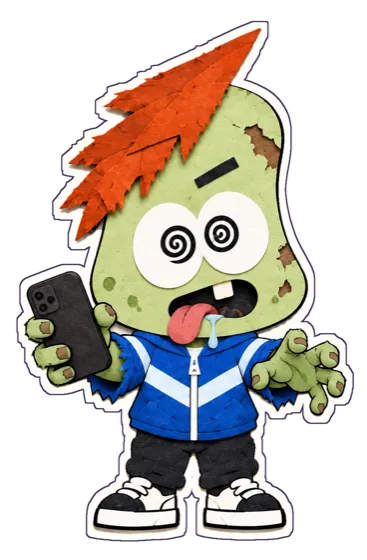
Smombie blocks the apps that eat your day. Scroll too much and your paper buddy starts to rot. Put the phone down and he perks right up.
For iPhone · Free for 7 days
Phone down. Sun's out. Let's go.

His mood
Smombie counts today's time in the apps your rules cover. Drag the slider to see what doomscrolling does to him.
0 min today
Feeling great. Let's keep it that way.
Rules
Pick the apps, categories or websites that pull you in, then choose how they're blocked.
Block the worst offenders from morning to midnight, on the days you pick.
Work hours, evenings, bedtime. Apps lock when it starts and unlock when it ends.
Give yourself 30 minutes of socials. When they're gone, they're gone until tomorrow.
Breaks
Blocked apps aren't locked forever. Smombie just makes you stop and think first.
Instead of the feed, you get Smombie's shield, with a line that fits how your day is going.
Breathe with him for a few seconds, or tell him why you need it. Most urges pass right here.
Still need it? Take 1, 5 or 15 minutes. Your apps lock again right on time.
See his mood and your next rule on the Home Screen and Lock Screen.
Built on Apple's Screen Time. Smombie never sees which apps you use.
Try everything in Smombie Pro free for a week, then pick a plan. Cancel anytime.
FAQ
Smombie uses Apple's Screen Time frameworks, the same system behind Downtime. You pick apps, categories or websites, and iOS shields them while a rule is active.
No. Apple only hands Smombie anonymous tokens for the apps you pick. Usage numbers are drawn by iOS on your device and never leave it.
Tap the shield, open Smombie, and take a 1, 5 or 15 minute break after a short pause. The apps lock again on their own when it's over.
His mood follows today's time in the apps your rules cover: fresh under 20 minutes, a full zombie after two and a half hours. He's fresh again every morning.
Apple handles billing. Open Settings, tap your name, then Subscriptions, and cancel Smombie Pro there. Cancel at least a day before the trial ends to avoid being charged.
Smombie for iPhone. Try Smombie Pro free for 7 days.